A professional restaurant cashier system, from the first order to net profit
Selling, tables, kitchen, delivery, stock, accounts and branches in one system, with a manager app and a QR menu. See it for yourself before you decide.
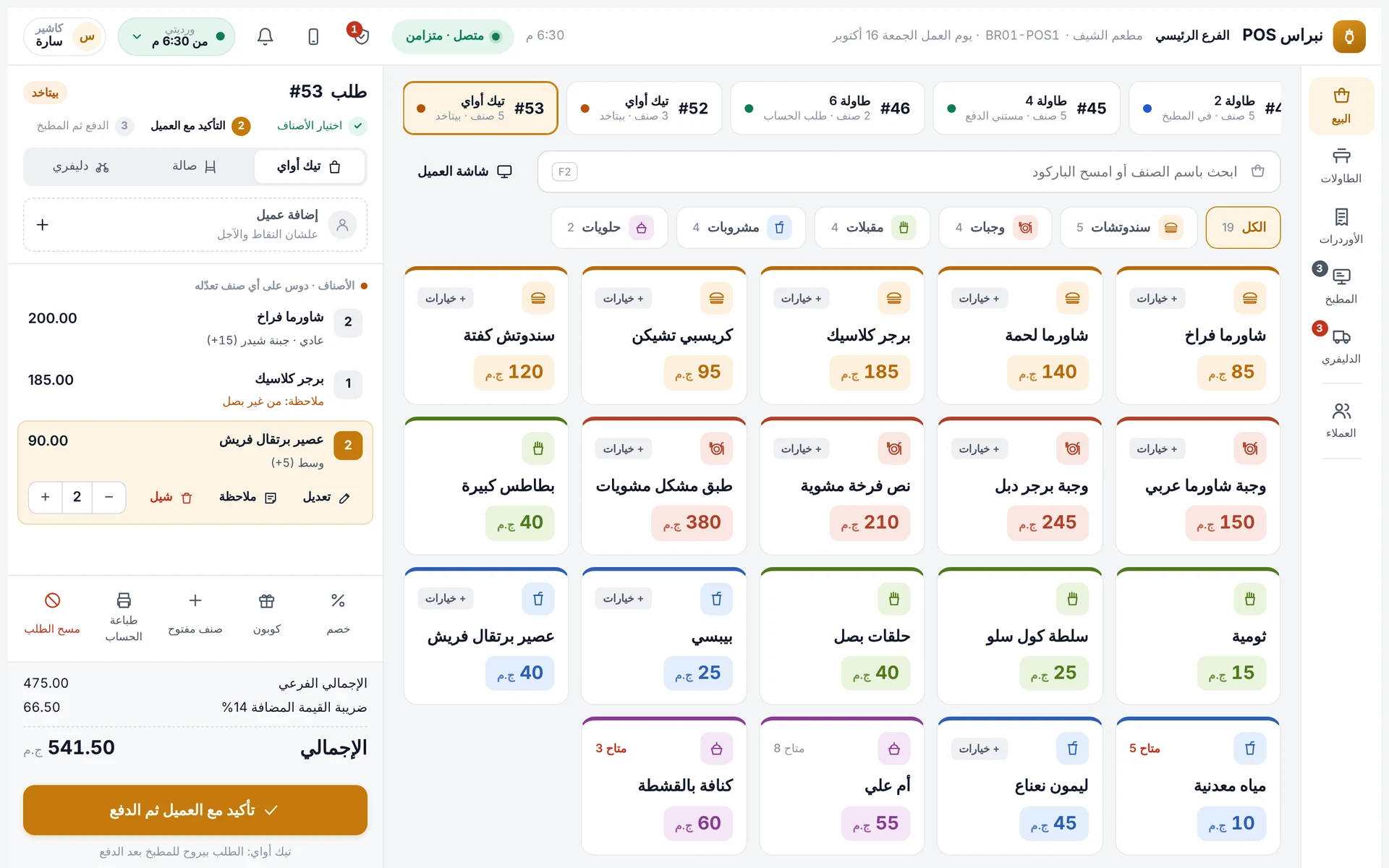
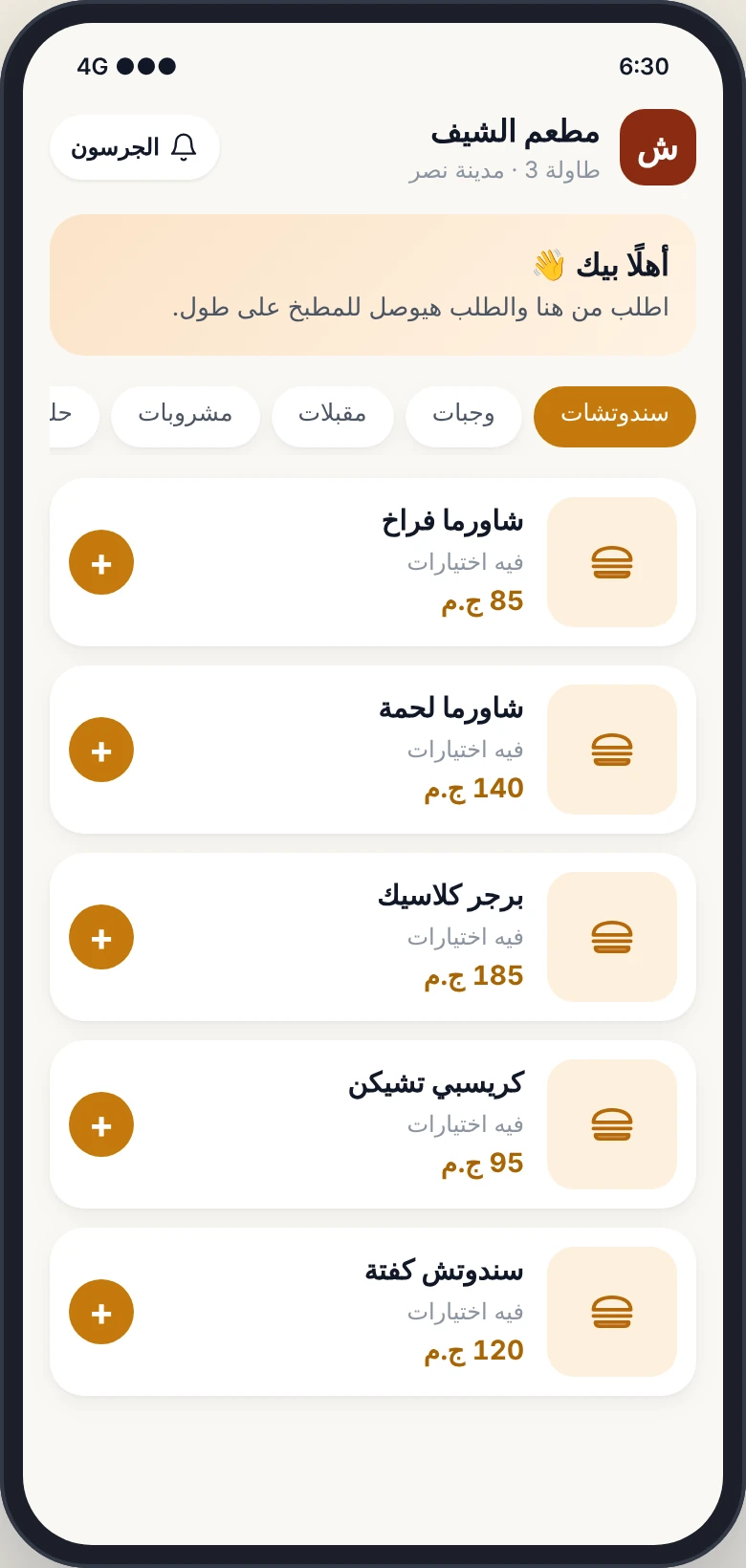
Look through every screen of the system
These are screenshots of the live demo, and you can open any screen and try it yourself.
A fast touch selling screen
Colour-coded items and categories, add-ons and notes, and takeaway, dine-in and delivery from one screen.
- Search, barcode and quick codes
- Discounts and coupons with permissions
- Split payment: cash, card and wallet
Orders flow on their own, without paper or calls
Everything your restaurant needs, in one system
Selling & cashier
- Dine-in, takeaway, delivery
- Shifts with denomination counts
- Works offline
Tables
- Floor map
- Move, merge, split
- Customer display
Permissions & audit log
- A permission set per role
- Manager approval for voids
- Every action by name
Manager app
- Approvals from your phone
- Instant alerts
- Live net profit
Kitchen & printers
- Kitchen display
- Printer per station
- Prep times
Delivery & drivers
- Dispatch and collection
- Driver pay
- Delivery apps (soon)
Items, recipes & stock
- Cost per item
- Automatic ingredient deduction
- Counts and waste
Purchasing & suppliers
- Suggested purchase orders
- Supplier accounts
- Receive against the order
Accounts and net profit
- P&L for any period
- Cash and bank
- Expenses and tax
Attendance & payroll
- Staff code and kiosk
- Daily wages and advances
- Payroll ready
QR menu
- Order and pay at the table
- No commission
- Straight to the kitchen
Promotions & loyalty
- Coupons, happy hour, combos
- Customer points
- Profitability per promotion
3 clear plans, subscribe in two minutes
No hidden fees and no commission on your sales. Pick a plan, pay by InstaPay, Vodafone Cash or bank transfer, and your account is ready the same day.
Basic
For cafés and small restaurants
- Cashier, tables and shifts
- Reports, permissions and audit log
- Manager app
- Works offline
Restaurant
For restaurants with a kitchen and delivery
- Everything in Basic
- Kitchen display and station printers
- Delivery, drivers and collection
Pro
For owners who want the exact profit
- Everything in Restaurant
- Recipes and item cost
- Stock, purchasing and suppliers
- Accounts, net profit and cash book
Plans start at EGP 1,000 per branch per month in Egypt and SAR 250 in Saudi Arabia. Want to own it for life? Ask for a private offer
Frequently asked questions
Can I try it before subscribing?
Yes. The demo is open with no sign-up: enter as a manager or a cashier, and try the manager app and the QR menu.
How much are the plans?
From EGP 1,000 per branch per month in Egypt and SAR 250 in Saudi Arabia, with optional add-ons. The full comparison and prices are on the pricing page, and lifetime ownership is a private offer on WhatsApp.
How do I subscribe and pay?
Pick a plan, enter your restaurant details, transfer by InstaPay, Vodafone Cash or bank transfer and upload the receipt. We check it and send your sign-in details, usually the same day.
Can I upgrade or downgrade?
Any time, prorated by day. If you downgrade, your data is kept.
Does it connect to Talabat and Elmenus?
Direct integration is in progress and coming soon. Until then, the cashier enters an app order in seconds on the same screen and it goes to the kitchen and driver like any other order.
Is my data safe?
Your data lives on a dedicated server with daily backups, and the cashier keeps working on the device even if the server stops.
Spend five minutes on it and you will see the difference
Open a shift, take an order, send it to the kitchen and close the shift. Then open the manager app and see it all from your phone.