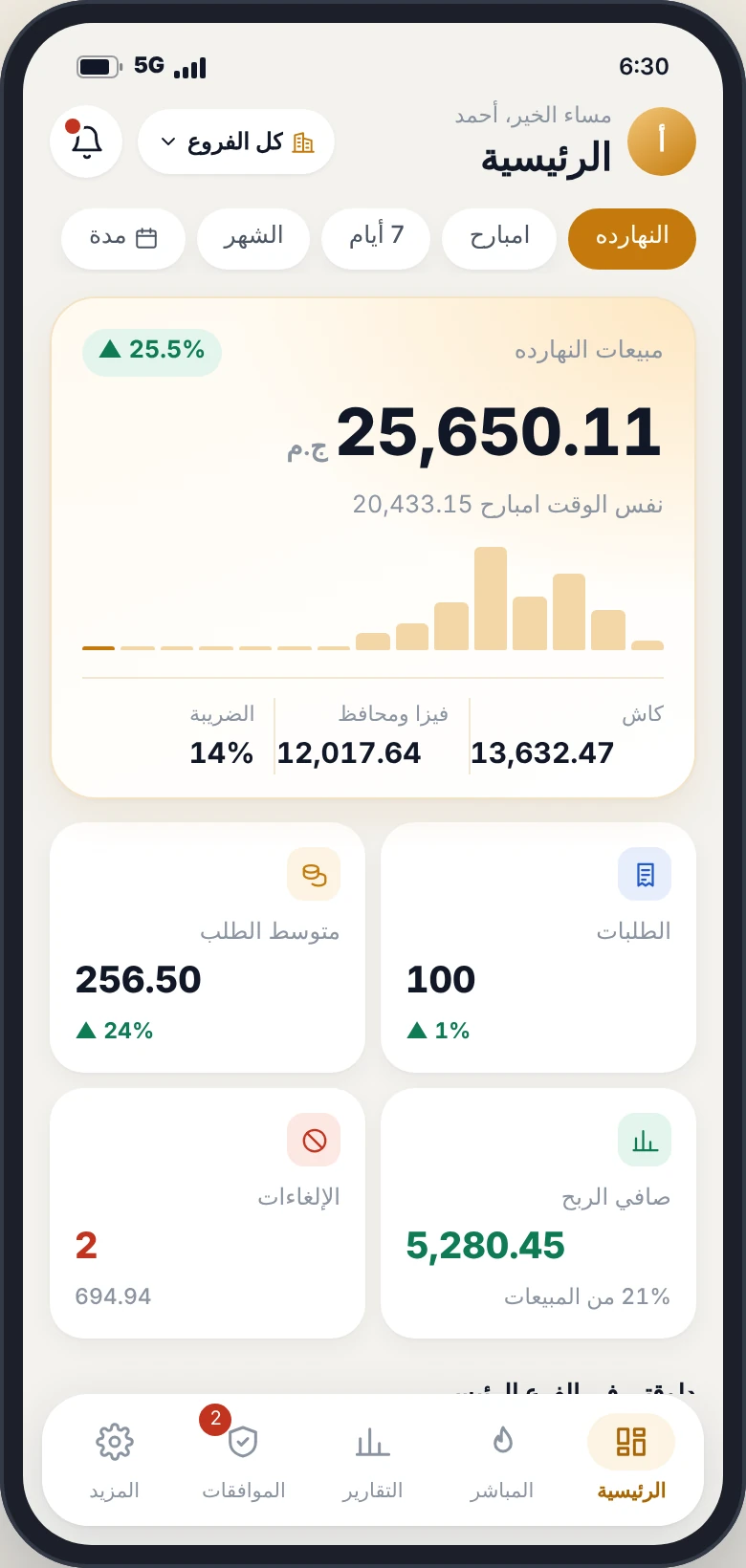
The best POS system for restaurants works offline, closes the door to theft with an audit log and manager approval for voids and discounts, shows net profit rather than just sales, and lets you follow everything from your phone.
Nibras POS brings all of this together for restaurants and cafés in Egypt and the Gulf, with a manager app for approvals. Subscriptions start at EGP 1,000 per branch per month in Egypt and USD 80 in the Gulf, and you can try the demo free with no sign-up.
Search for a POS system or cashier software and you’ll find dozens of names and prices. Most ads talk about “fast invoices” and “reports”, but a restaurant owner’s real problem isn’t the invoice. It’s money leaking quietly: a small void every day, a short drawer every shift, and wasted ingredients nobody notices.
In this guide you’ll learn the types of POS systems, the features that must be there, calculate how much money you may be losing, and find the right plan for your business.
What is a POS system — and why aren’t a notebook and Excel enough?
A point of sale (POS) system records every sale the moment it happens: items, quantities, price, payment method and the employee who made it. Modern systems do much more: they connect sales to the kitchen, inventory and accounts, and show you the whole restaurant on your phone.
A notebook or Excel records what happened if someone remembers to write it down. A POS records everything automatically, by name and time. That’s the difference between guessing what you earned and knowing.
Types of POS systems: cloud, on-device or both?
| Type | How it works | Advantage | Drawback |
|---|---|---|---|
| On-device (offline) | Installed on the POS terminal | Works without internet | No remote monitoring; data on one device |
| Cloud | Runs on a server in the browser | Monitor from anywhere | Selling stops if the internet drops |
| Hybrid | On the device and synced to the cloud | Works offline and monitored from anywhere | Must be built right from the start |
Nibras POS is hybrid: the cashier runs on the device itself, so selling, printing and the cash drawer keep working offline, and everything syncs automatically when the internet returns — while you follow it all from the manager app.
12 features every POS system must have before you buy
Works offline
The internet drops; your restaurant can’t stop with it.
Audit log per employee
Every void, discount, price change and drawer opening is logged with name and time.
Manager approval for voids
The biggest door to theft closes when voids need approval.
Shifts with drawer counts
Shortages show at shift close, not month end.
Manager mobile app
Sales, net profit, approvals and alerts while you’re away.
Net profit, not sales
After ingredients, wages, expenses and commissions.
Kitchen display & section printers
Orders reach the kitchen correctly and on time.
Delivery, drivers & collections
Who has each order and whether it was collected.
Inventory & recipes
Ingredients deducted with every sale, with low-stock alerts.
All branches on one screen
Compare branches and transfer stock between them.
Optional tax
Switch it on or off in settings to suit your business.
Arabic support on WhatsApp
When something breaks at peak time, someone must answer fast.
Want to see these features in action? The demo is open with no sign-up.
Calculate how much money you may be losing each month
Enter your branch numbers and an estimated percentage for waste, voids and drawer shortages:
Inside Nibras POS: real screens from the system
These are screenshots of the actual system, not mock-ups. You can open the demo and use it yourself:
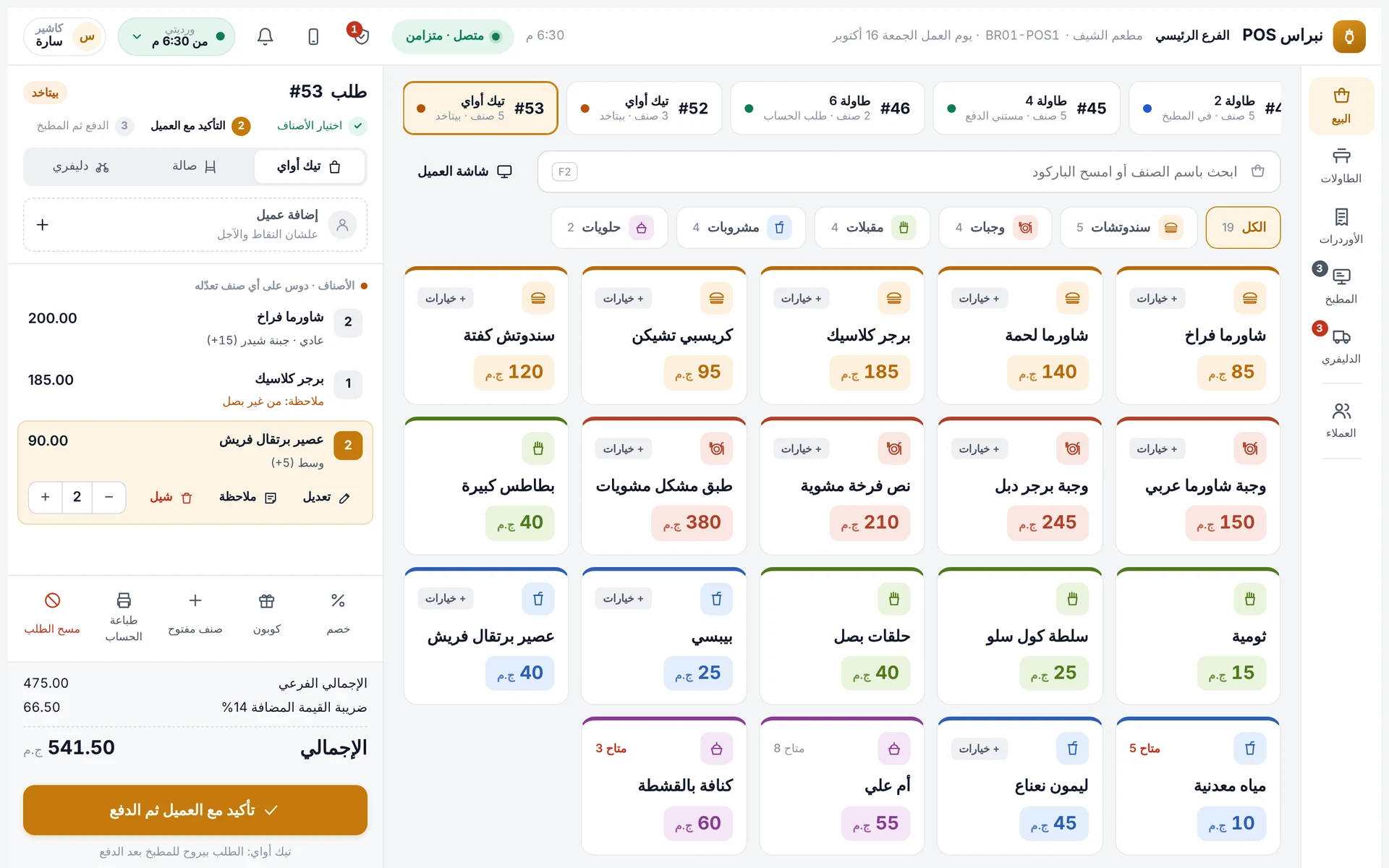
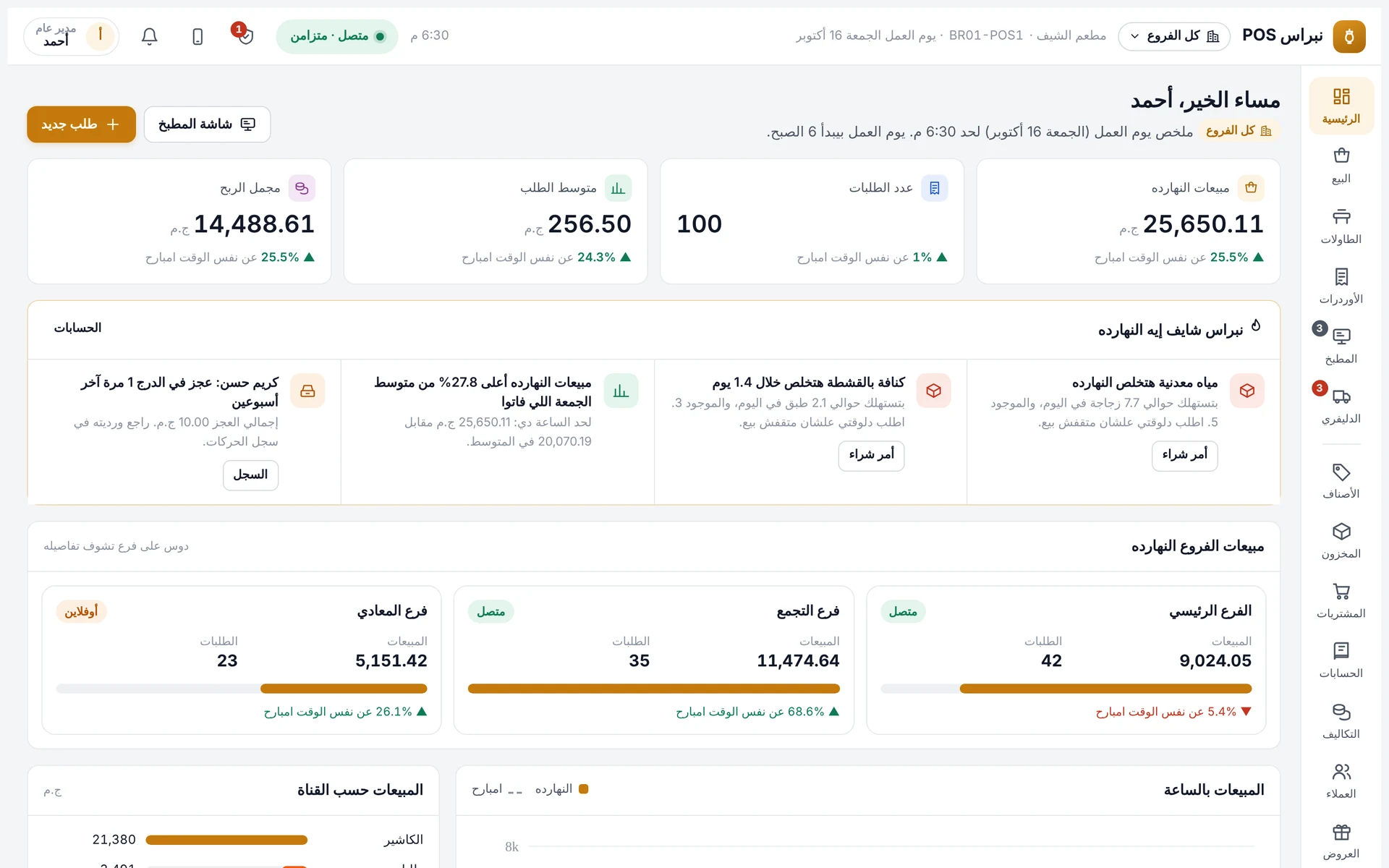
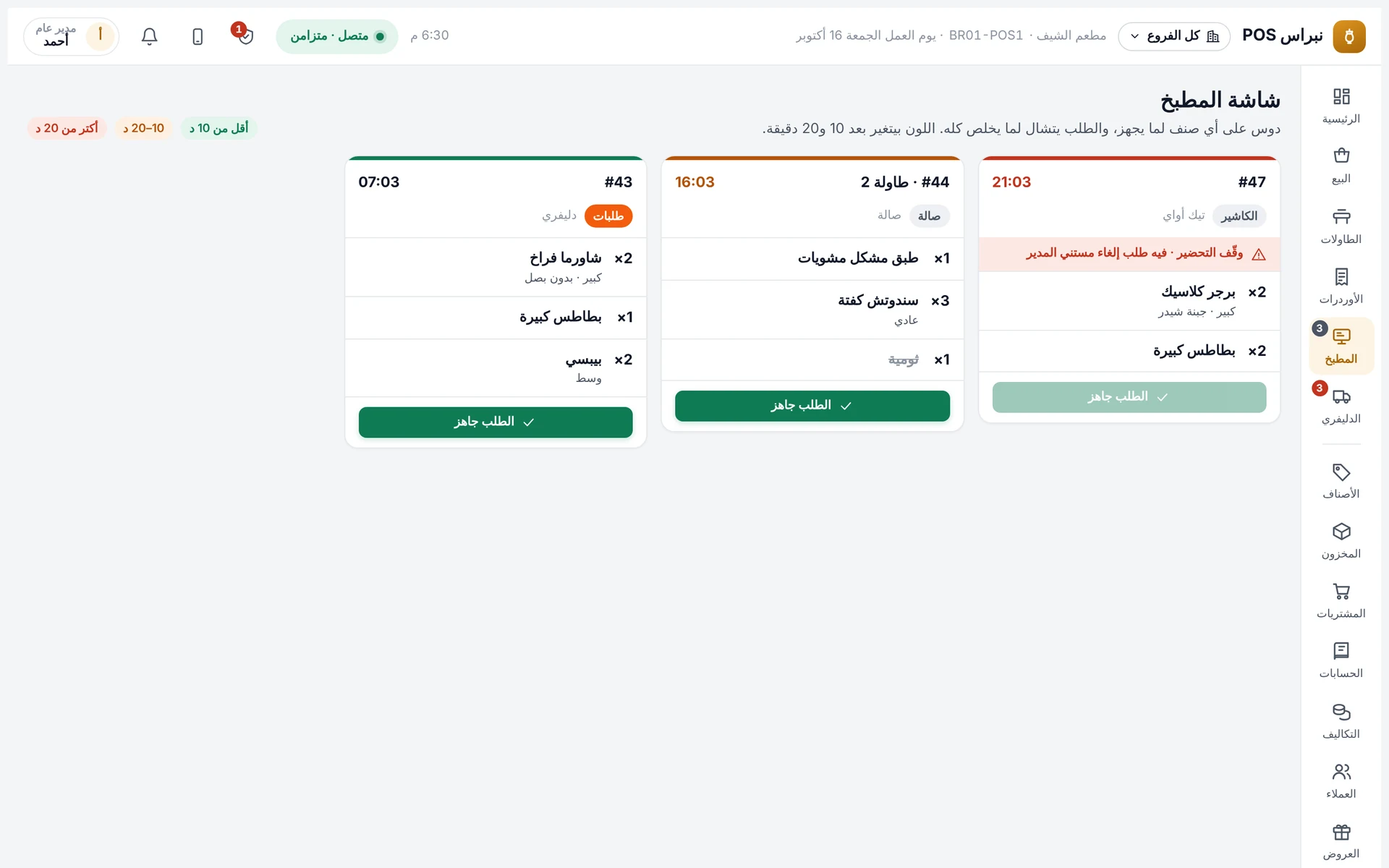
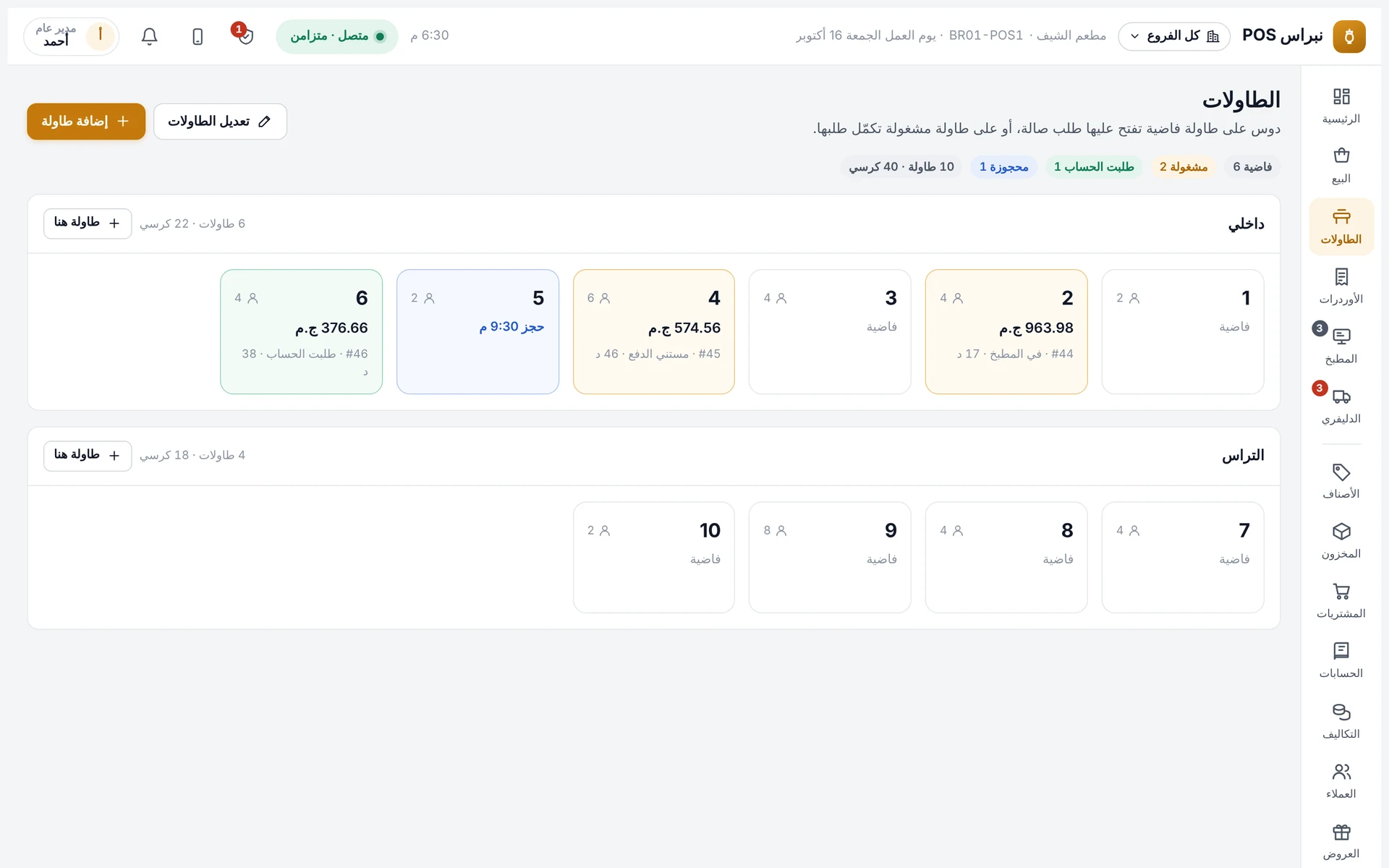
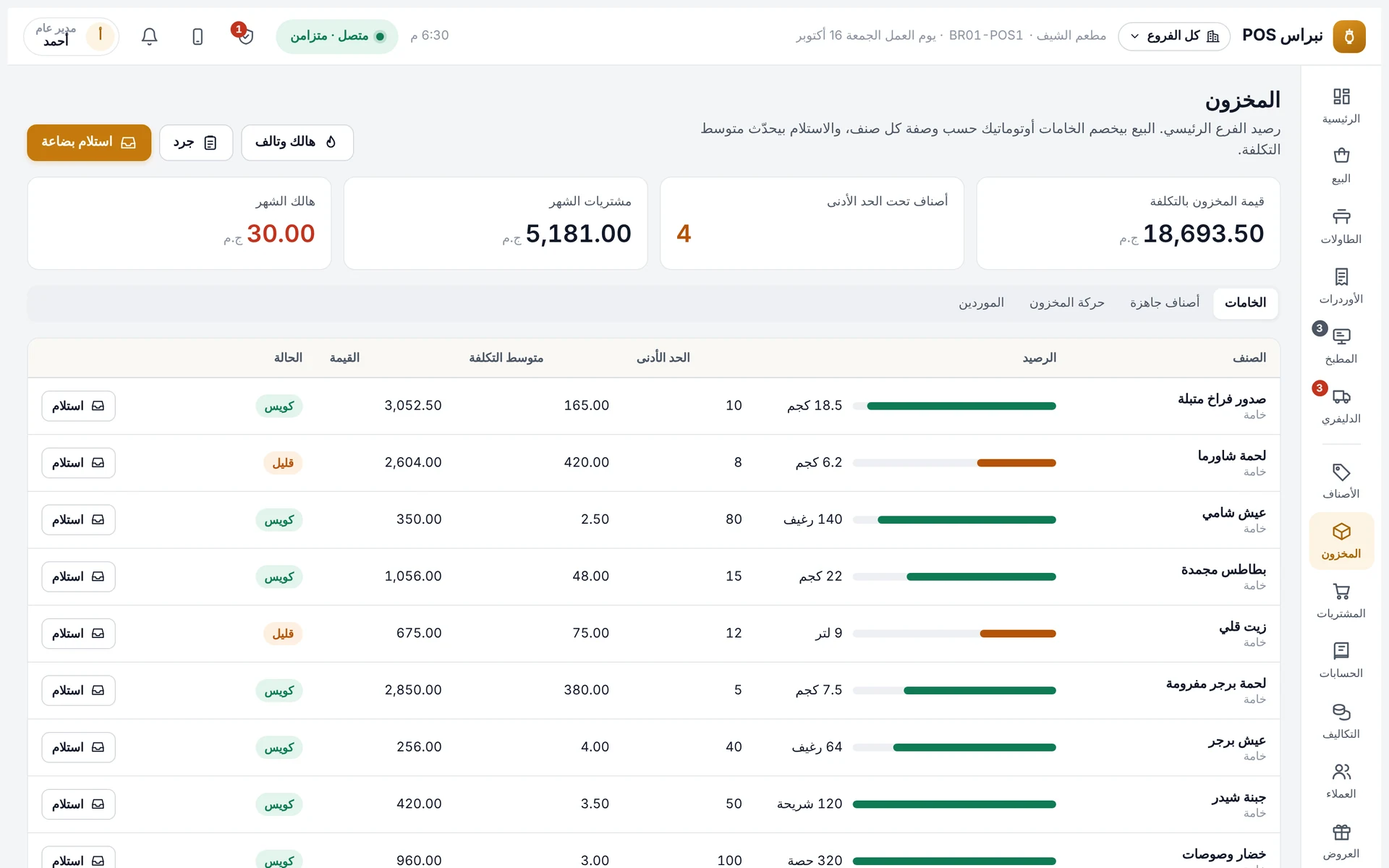
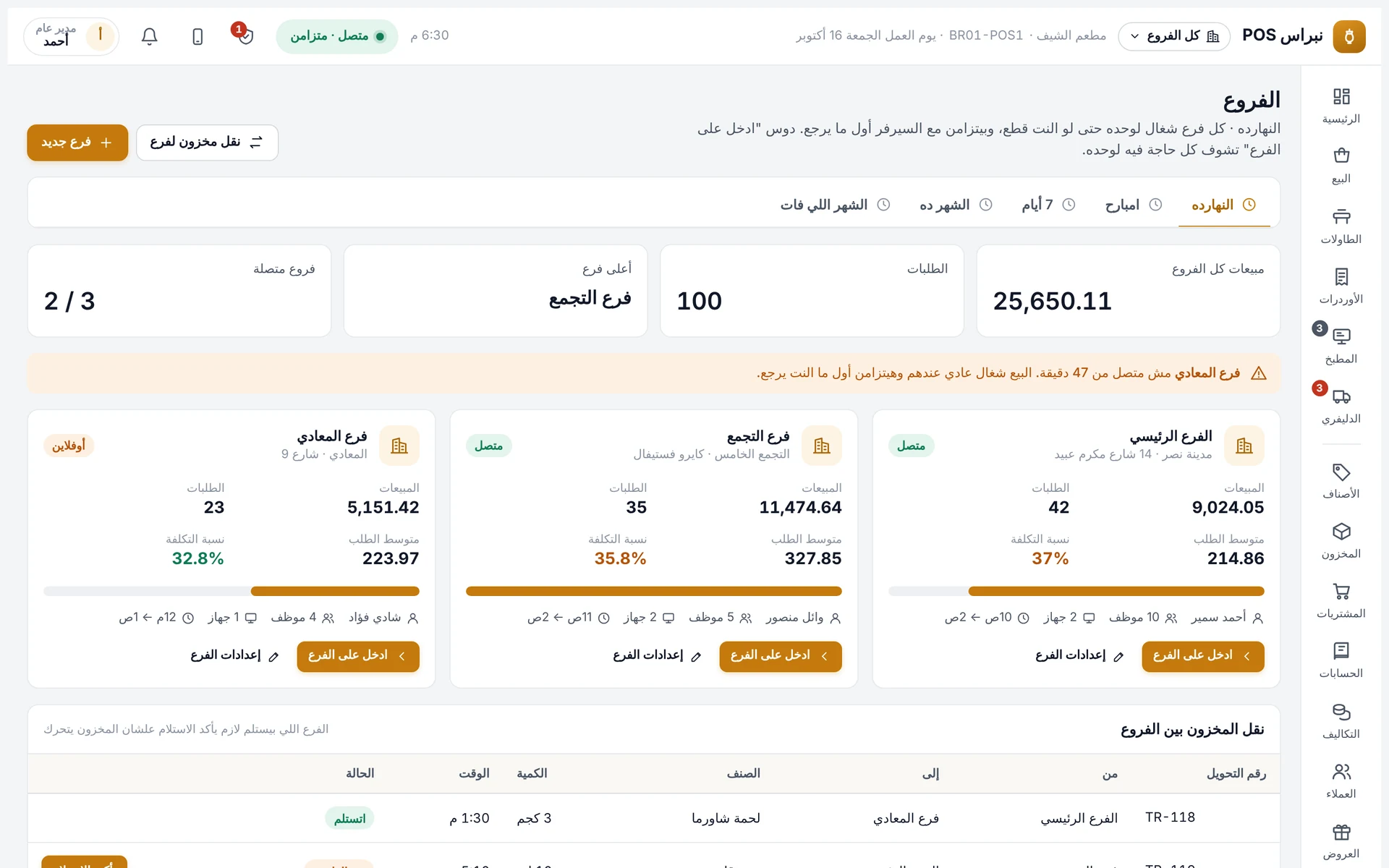
Open a shift, take an order, send it to the kitchen and close the shift. Then open the manager app and see it all on your phone.
Nibras POS plans and prices
Three plans, upgrade any time. Subscriptions start at EGP 1,000 per branch per month in Egypt and USD 80 in the Gulf; add-ons are optional:
| Plan | Best for | Includes |
|---|---|---|
| Basic | Cafés and small restaurants | Cashier, tables and shifts; reports, permissions and audit log; manager app; offline mode |
| Restaurant Most popular | Restaurants with kitchen and delivery | Everything in Basic + kitchen display and section printers + delivery, drivers and collections |
| Pro | Owners who want exact profit | Everything in Restaurant + recipes and item costing + inventory, purchasing and suppliers + accounts, net profit and cash box |
Optional add-ons: QR menu for table ordering, offers and loyalty, attendance and payroll. Coming soon: delivery-app integration, e-invoicing and fingerprint devices. For lifetime ownership, ask for a special offer on WhatsApp.
Which plan fits your business?
Honest comparison: Nibras POS vs the alternatives
| Feature | Nibras POS | Most traditional POS systems | Notebook & Excel |
|---|---|---|---|
| Works offline | Yes | Partly | No |
| Manager app with void/discount approvals | Yes | No | No |
| Net profit after wages & expenses | Yes | Partly | No |
| Audit log per employee | Yes | Partly | No |
| All branches on one screen | Yes | Partly | No |
| Optional tax | Yes | Partly | No |
| Free demo with no sign-up | Yes | Sometimes | — |
| Arabic support on WhatsApp | Yes | Partly | No |
Hardware you need for a POS system
Nibras POS usually works with the devices you already have. If you need new ones, we recommend, install and connect the right setup for your size:
Windows POS terminal or laptop
The main selling screen.
Android tablet or iPad
For cashiers or waiters.
Thermal printers
Customer receipts and a printer per kitchen section.
Cash drawer
Opens with cash payments.
Barcode scanner
For items and inventory.
Kitchen display
Replaces paper, with prep times.
Test any POS system before you pay
Tick every point the system you’re testing actually does in its demo:
POS system in Egypt, Saudi Arabia and the Gulf
Nibras POS is available for restaurants and cafés in Egypt (Cairo, Giza, Alexandria and every governorate) and in Saudi Arabia, the UAE, Kuwait, Qatar, Oman and Bahrain. Setup and training are remote, with Arabic support on WhatsApp. In Egypt we add wallets and InstaPay as payment methods; in the Gulf, bank transfer — each with a transaction reference.
FAQ: POS systems
What is the best POS system for restaurants in Egypt in 2026?
The best one works offline, closes the door to theft with an audit log and manager approval for voids, and shows net profit, not just sales. Nibras POS does all of this, with a manager app for approvals on your phone. Subscriptions start at EGP 1,000 per branch per month, and you can try the demo without signing up.
How much does a POS system cost?
Nibras POS starts at EGP 1,000 per branch per month in Egypt and from USD 80 in the Gulf, with three plans (Basic, Restaurant, Pro). For lifetime ownership we make a special offer on WhatsApp based on your number of branches.
Does the POS work without internet?
Nibras POS does: selling, printing and opening the drawer keep working if the internet drops, and everything syncs automatically when it returns.
Does it work for retail shops and supermarkets?
The restaurant and café edition is available now. Supermarket, retail and pharmacy editions are coming soon with the same power and manager app. Message us on WhatsApp to be notified at launch.
What hardware do I need?
Any Windows POS terminal or laptop, Android tablet or iPad, with thermal printers, a cash drawer, a barcode scanner and a kitchen display. We review your devices before installation.
Can I monitor the restaurant remotely?
Yes. The manager app shows sales, net profit, drawers and tables live, and notifies you when someone requests a void or discount so you can approve or reject from anywhere.
Who sets up the menu and trains the team?
We do. We enter the menu, prices and add-ons, recipes and inventory if needed, and train your cashiers and managers.
Is tax mandatory in the system?
No. Tax is optional: switch it on or off in settings.
Does it support e-invoicing and delivery apps?
E-invoicing, delivery-app integration and fingerprint devices are on the coming-soon list. Ask us on WhatsApp for timing.
Can I try before subscribing?
Yes, the demo is open with no sign-up and no payment: open a shift, take an order, send it to the kitchen, close the shift, and check the manager app.